Software design, together.
Stop drawing boxes. Start modeling domain context.
Domo Modeler is where product and engineering teams explore the domain, agree on boundaries, sketch the architecture, and record the decisions — before writing the code.
Runs in your browser. Nothing to install.
Why Domo
Diagrams drift. Decisions vanish. Teams stop talking.
The whiteboard photo is in somebody's phone. The architecture diagram was right two releases ago. Nobody can say why we chose that database.
Domo keeps the whole conversation in one place, and keeps the pieces connected to each other.
Start with a workshop. Let it become a map of boundaries. Let the map become a model of the domain. Let the model write part of the architecture document. When something changes, the change shows up where it matters.
Our CodeDig! feature is provided to help you dig into legacy codebases, understand them, and iterate toward transformative systems with crisp boundaries and continuous improvement. Try it today.
 Vaughn Vernon
Founder
How it works
One thread, from workshop to code.
Each model feeds the next. Nothing is retyped, and nothing floats loose.
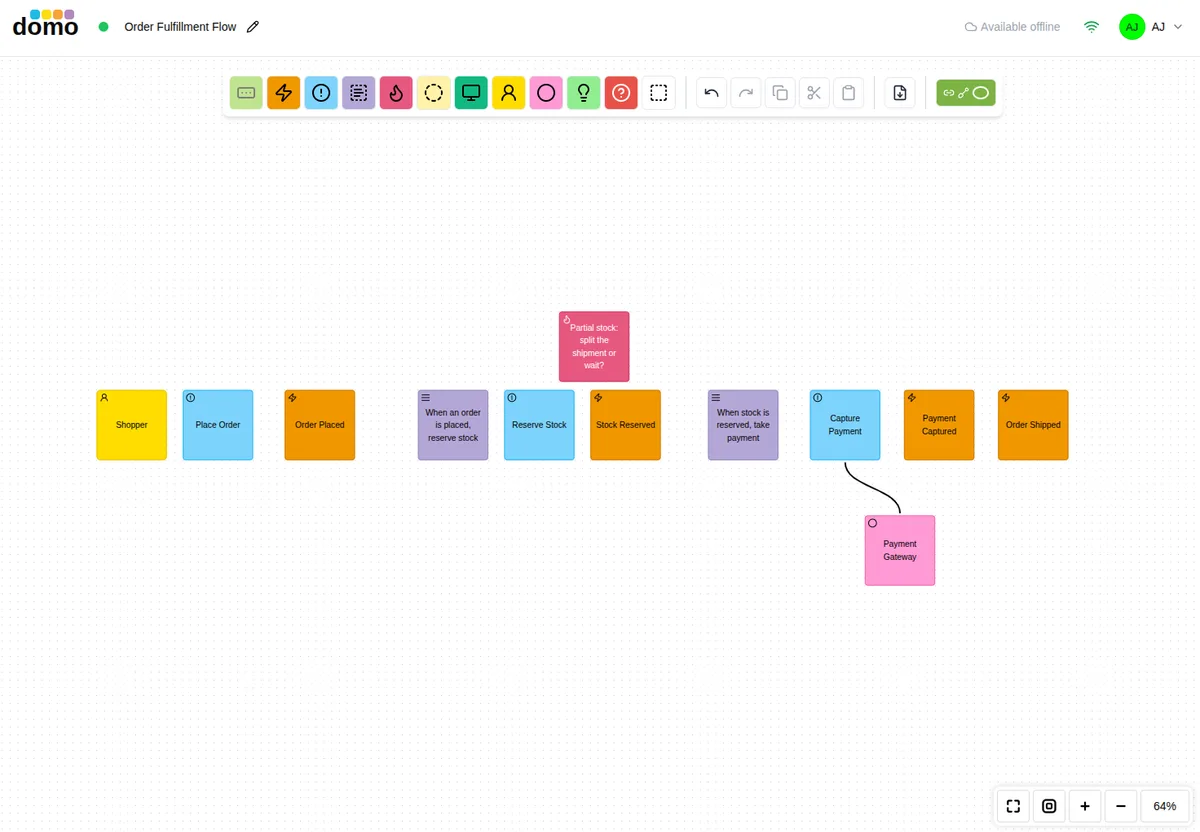
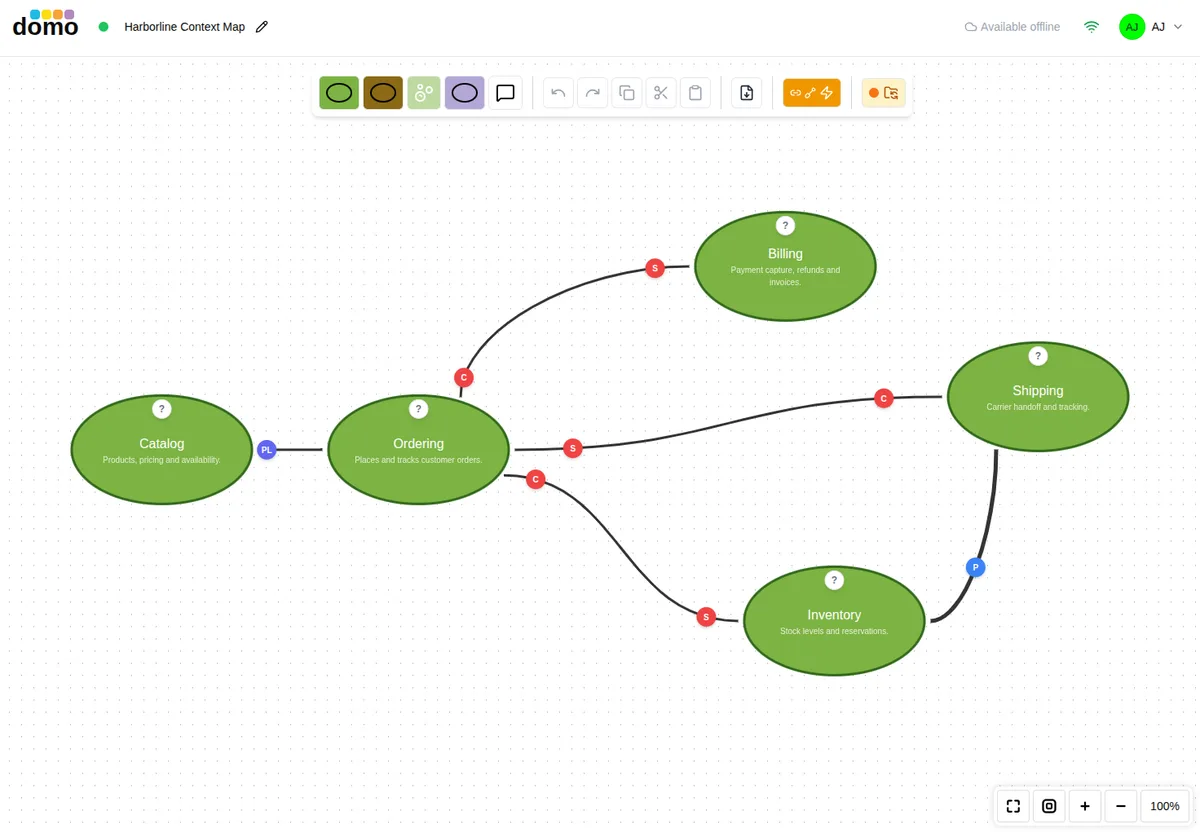
Find the boundaries.
Run an EventStorming session on a shared canvas, then group what you learned into bounded contexts. The Context Map picks up from the workshop instead of starting from a blank page.
Read about EventStorming →Read about Context Mapping →
Model what's inside.
Tactical design for each context: aggregates, entities, value objects, services, and repositories, kept in step with the map above it.
Read about Domain Models →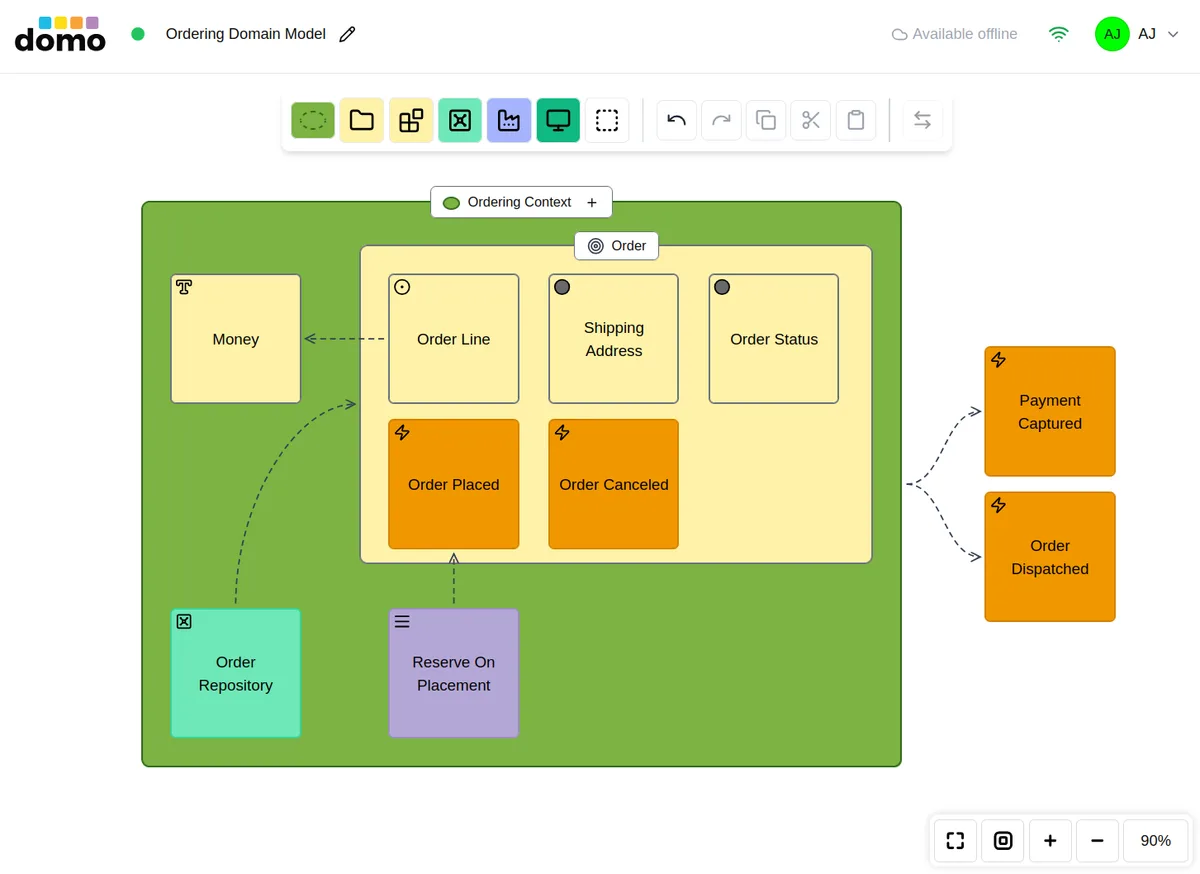
Speak the same language.
A ubiquitous-language table generated from your Domain Model, with your own prose above it for the things a table can't say.
Read about Glossaries →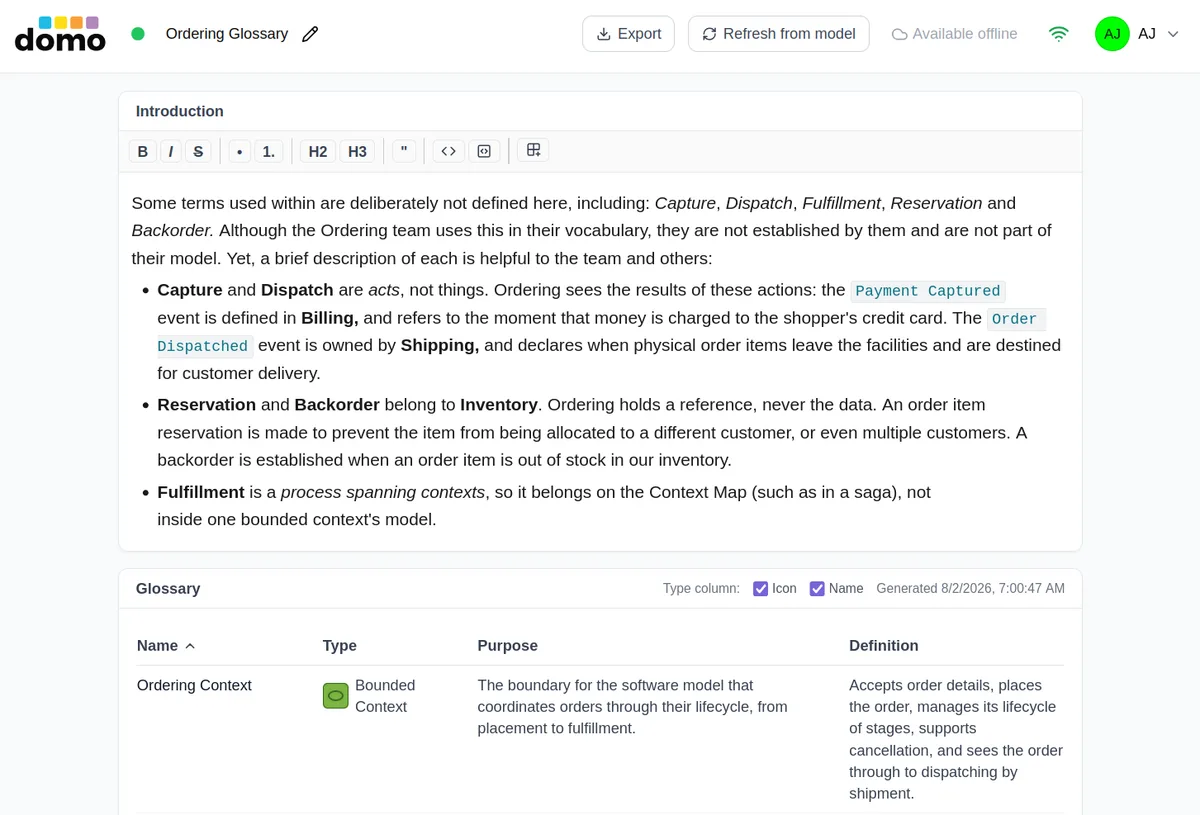
Sketch the architecture.
Hexagonal, Flow, C4, or Cloud views of the same system.
Read about Architecture →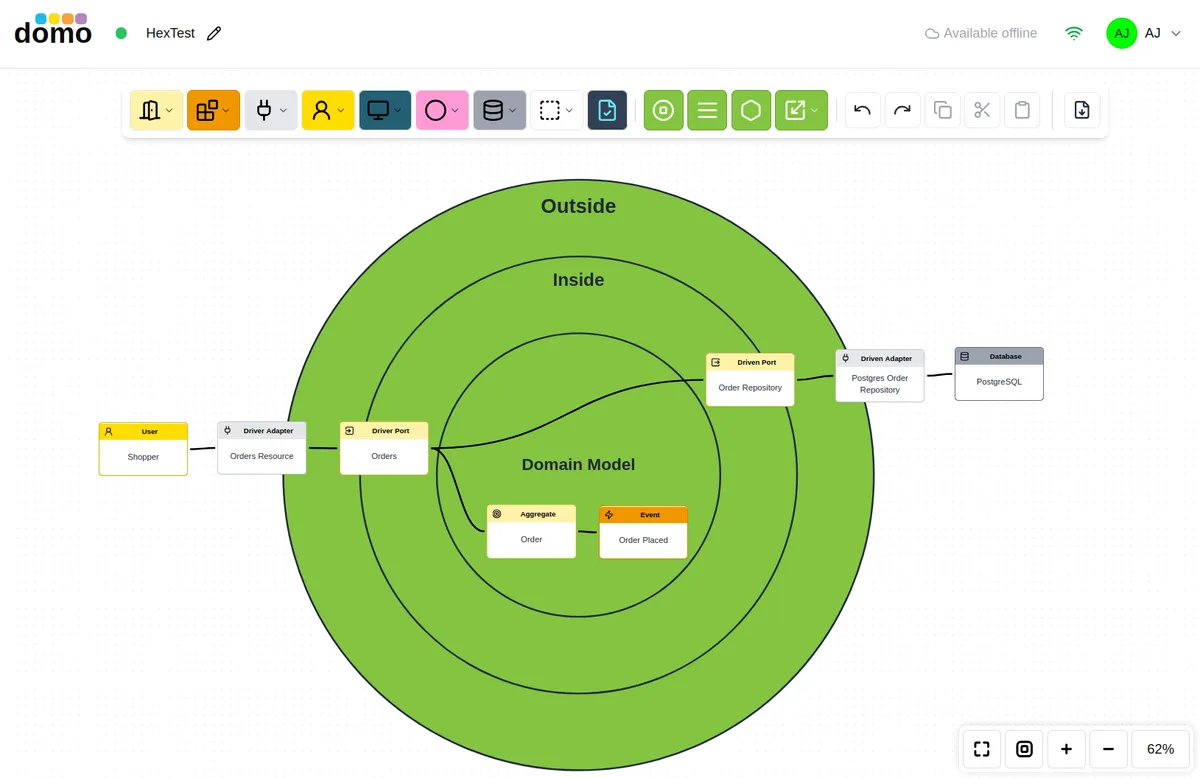
Keep the reasons.
A numbered log of decisions, each with a status and links to the decisions it supersedes. Use the Nygard or MADR template, and export to Markdown.
Read about ADRs →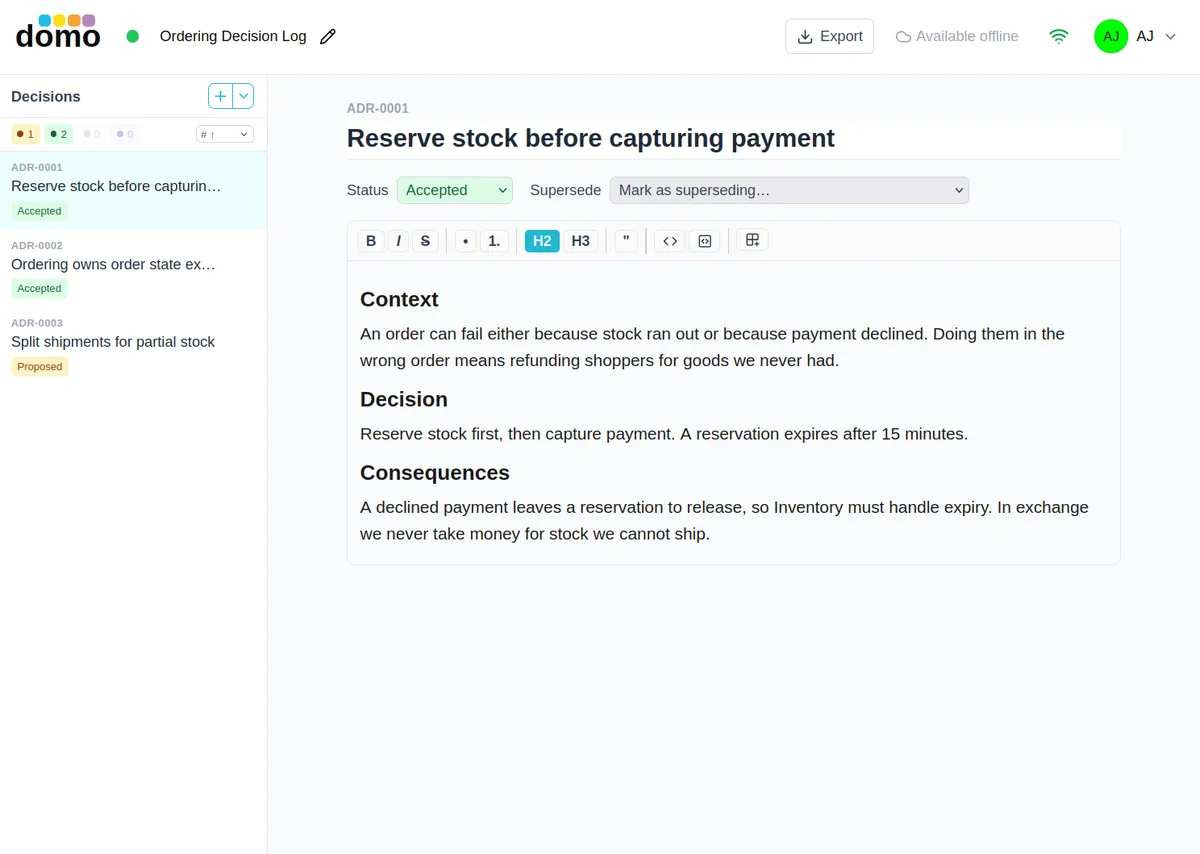
The document writes part of itself.
An arc42-style Architecture Document pulls in your diagrams and models, so the write-up is never a screenshot gallery that has gone stale.
Read about Architecture Documents →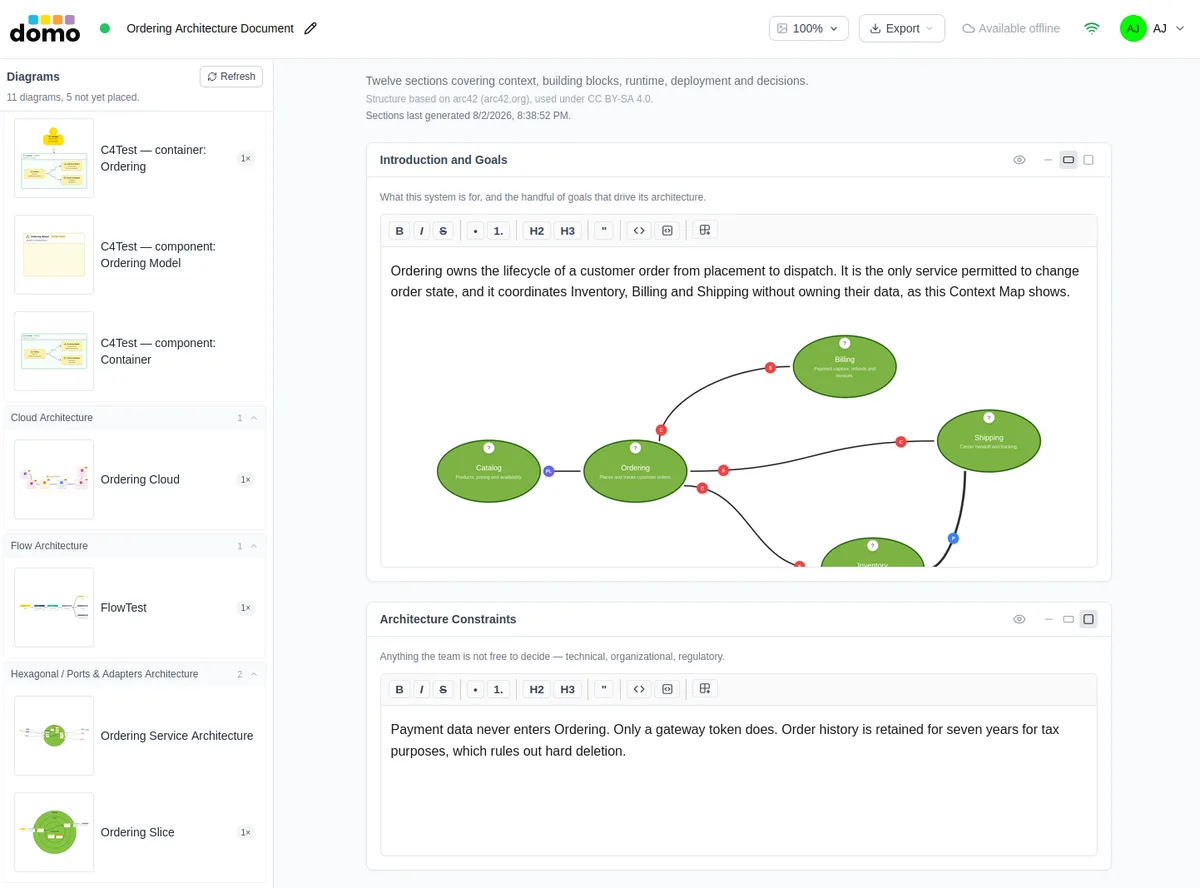
Everyone in the room, wherever they are.
See who is in the model and where they are working. Edit together without stepping on each other, and keep going when the connection drops.
Read about Collaboration →
Already have a codebase? Dig it.
CodeDig!™ reads your existing code — new or decades old — on your own machine and writes an encrypted analysis. Import it, and Domo projects Flow, Domain Model, and C4 models from it. It also reports plainly on what the analysis did not reach.
Read about CodeDig! →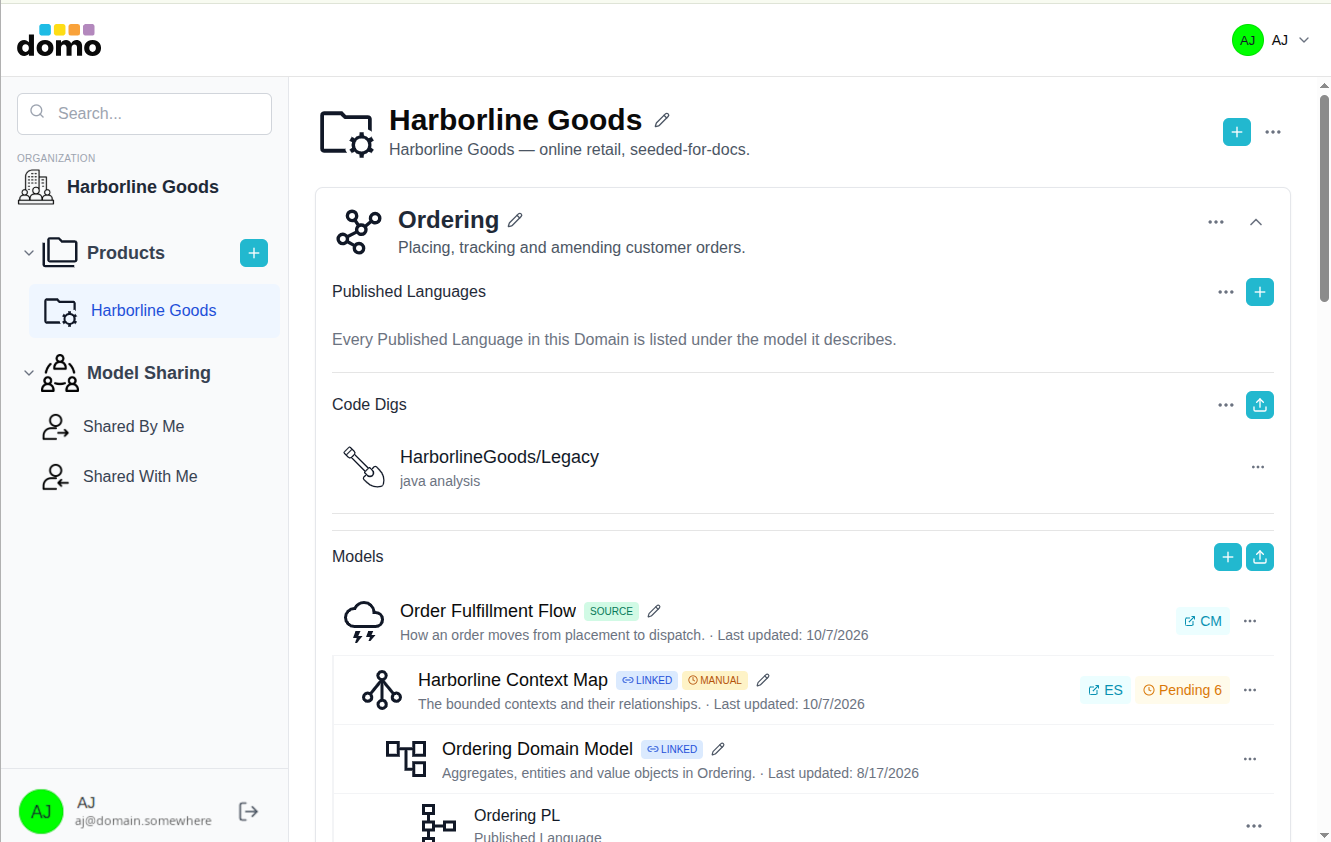
Little things
Small details, big difference.
Real-time collaboration
See who is in the model, and edit together without stepping on each other.
Works offline
Lose the connection mid-workshop and keep going. Changes sync when you're back.
Published Languages
A versioned registry of the Commands, Events, and Queries a context publishes, exportable as source, Avro or JSON Schema.
Glossary from your model
A ubiquitous-language table generated from your Domain Model, with your own prose above it.
UI Mockups
Low-fidelity screen sketches placed into a model as the interface a step happens through.
Business Model Canvas, Mind & Impact Maps
For the conversations that come before the software.
Share with the right people
Roles, product visibility, and sharing down to a single model.
Export
Take your diagrams, documents, and ADRs with you, as Markdown among other formats.
Keyboard-friendly
Shortcuts for editing, selecting, aligning, and adding elements.
FAQ
Common questions.
Who is it for?
Software architects, engineers, and the product people they work with. If you run EventStorming sessions, draw context maps, or write ADRs, this is for you.
How much does it cost?
Plans and limits are on the pricing page.
Do I need to know Domain-Driven Design?
No. The documentation walks through each model type, and the tools lead you from one to the next.
Does CodeDig! upload my source code?
No. It reads the source on your computer and writes an encrypted analysis file. You choose whether to import that file.
Can I export my work?
Yes. Export is a paid-plan capability; see the documentation for formats.
Where is the documentation?
Everything is at modeler.domo.tools/docs.